Finally a good solution for the headache of building HTML emails 😮💨

Raise your hand if you despise writing HTML emails natively. The archaic
<table> nesting, writing the same inline CSS repeatedly, and guessing what
works in Outlook versus Apple Mail... It is a true developer nightmare.
Enter Maizzle. Maizzle is a framework for building responsive HTML emails using modern tools instead of writing messy email-safe HTML by hand.
→ build emails with Tailwind CSS
Who said CSS frameworks are just for websites? Maizzle uses Tailwind CSS directly in your template code, so you can rapidly design beautiful HTML emails. You code entirely utility-first using standard HTML elements.
Modifiers like hover states (hover:bg-blue-500) and responsive queries
(sm:w-full) work perfectly out of the box, drastically reducing context switching
between styles and markup.
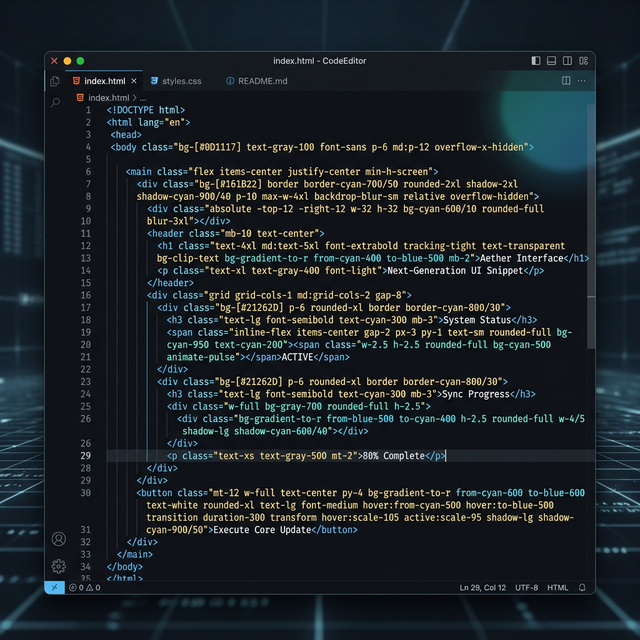
<x-main>
  <table class="w-full font-sans bg-slate-50">
    <tr>
      <td class="p-8 text-center">
        <h1 class="text-2xl font-bold text-slate-800 mb-4">BYOHTML™</h1>
        <x-button class="bg-indigo-600 hover:bg-indigo-700 text-white">
          Click Here
        </x-button>
      </td>
    </tr>
  </table>
</x-main>
→ automatic CSS inlining
Writing inline CSS manually is miserable. Trying to debug missing semi-colons and keeping styles
consistent across all your <td> tags is what turns developers away from
emails.
Maizzle acts as your engine that automatically processes Tailwind utility classes and inlines
them straight into your HTML tags during the build step. It evaluates what can be safely inlined
and leaves complex things (like media queries or hover states) neatly packed in the
<style> tag.
What You Write: Tailwind UI
<!-- Beautiful readable source code -->
<p class="text-sm font-semibold text-gray-800">
    Hello World
</p>
What Maizzle Builds: Inlined HTML
<!-- Painful syntax generated automatically -->
<p style="font-size: 14px; font-weight: 600; color: #1f2937;">
    Hello World
</p>
→ optimized for email clients
Email client compatibility is notoriously bad. Outlook rendering engines strip code while Gmail has strict strict clipping size limits. Maizzle runs your code through PostHTML Transformers tailored precisely for email safety.
It handles zero-width spaces, strips unnecessary white-spaces and minifies your HTML so you easily bypass Gmail's 102kb clipping limit. It handles all the defensive code and dark mode caveats automatically.
→ CLI-based build system
It comes with a fully-fledged CLI, allowing you to easily spin up a dev environment with Hot Module Reloading for live previews right in your browser. Just scaffold a starter using the CLI, build your template configs, and run it.
You can even define custom build environments. One build for local viewing with mock data, and another completely minified production build parameterized to merge variables in SendGrid or Mailchimp. You have full CI/CD deployment power directly integrated using JavaScript.
// terminal
npx make-maizzle

// Start dev server with Live Preview
maizzle serve

// Build an optimized production payload
maizzle build production
→ works with any email service after build :)
One of the best elements of Maizzle is that it outputs pure, client-agnostic HTML files. You are not locked into any proprietary SaaS service, drag-and-drop builder platform, or recurring monthly fee service.
Take the generated build output from your `build_production` folder, copy the HTML, and paste it into SendGrid, Mailgun, Amazon SES, Postmark, Mailchimp, or any custom API sending emails. It's completely transferable and yours to own.

Stop Hand Coding Nested Tables
The time savings from using Tailwind CSS inside your email templates and letting a build engine like Maizzle do the post-processing natively are astronomically high.
Take back your time, eliminate the headache of Outlook 2013 compatibility, and deliver emails faster. Go check out maizzle.com and happy building!
Discussion